Agent Skills: Use Agent Skills to Make AI Get It Right Every Time
The other day, a colleague asked me why he wasn't getting the same output from an AI agent that I was. What was he missing?
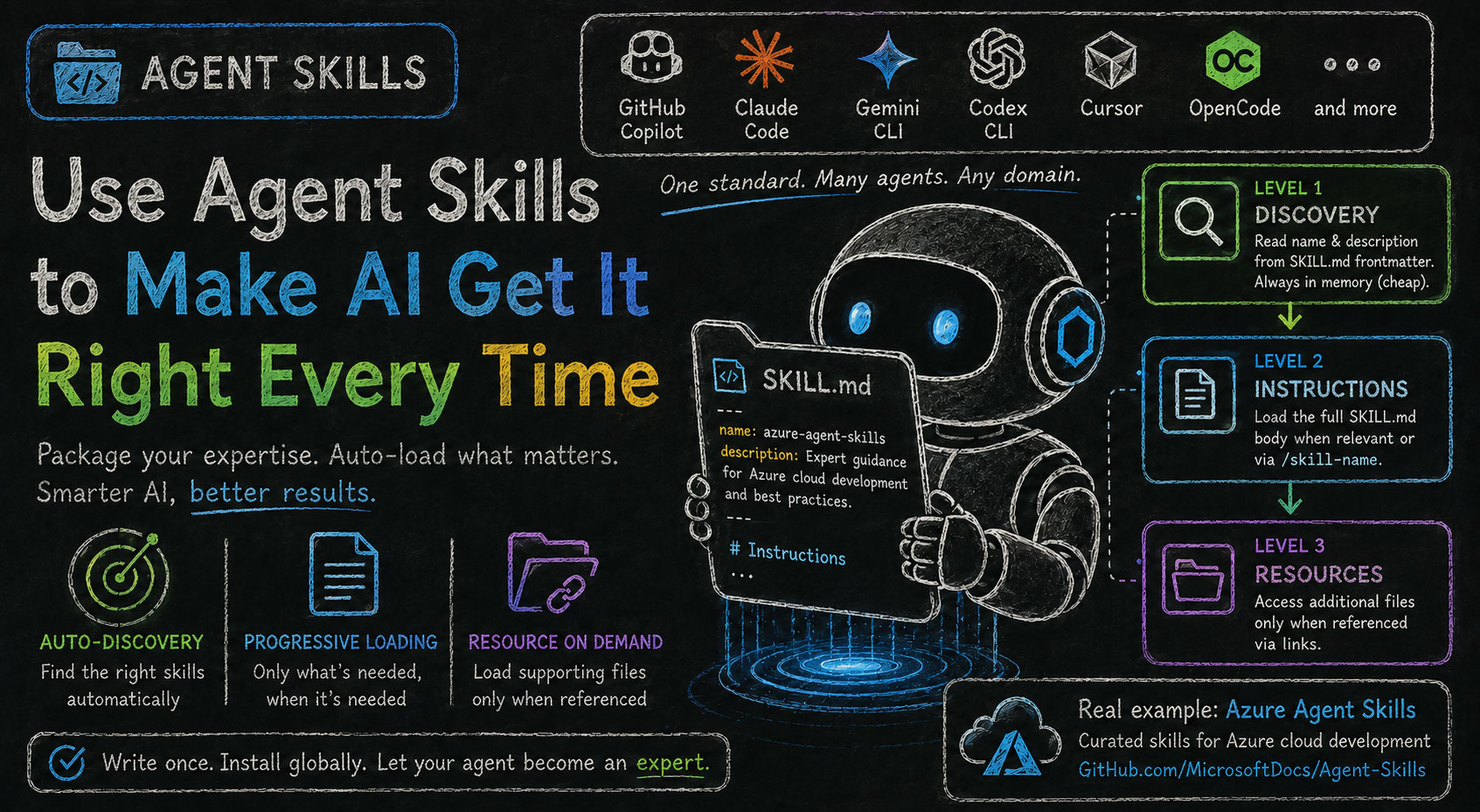
AI agents (like GitHub Copilot, Claude Code, or Cursor) are powerful general-purpose assistants, but they don't always have deep, up-to-date knowledge about your specific domain, toolchain, or workflow. Agent Skills bridge that gap by letting you package domain-specific expertise as SKILL.md files that AI coding assistants can load on demand — making the agent smarter about the topics that matter to you.
Agent Skills is an open standard — not tied to any single AI tool. The same skills work across GitHub Copilot, Claude Code, Gemini CLI, Codex CLI, Cursor, OpenCode, and more. When you ask a relevant question, the agent auto-discovers and loads the appropriate skill with no explicit invocation required.
What Is a Skill?
A skill is a folder containing a SKILL.md file (and optionally supporting scripts or examples). The SKILL.md file has two parts:
- YAML frontmatter — declares the skill's
nameanddescription, used by the agent to decide when to load it. - Body — the actual instructions, guidance, and best practices the agent will follow once the skill is loaded.
Skill structure
---
name: skill-name
description: Brief description of what this Skill does and when to use it
---

# Skill Name

## Instructions
[Clear, step-by-step guidance for Agent to follow]

## Examples
[Concrete examples of using this Skill]
The description field is the most important part — it's what the agent reads to decide whether to load this skill. Make it specific and include trigger phrases like "USE FOR" and "DO NOT USE FOR".
Skills can cover anything: a cloud provider, an internal API, a coding standard, a deployment process — any knowledge you want the agent to apply consistently.
How Auto-Discovery Works (3-Level Progressive Disclosure)
Skills load content progressively — only what's needed enters context:
-
Level 1 — Discovery: The agent reads the
nameanddescriptionfrom the YAML frontmatter of every installed skill. This is always in memory (cheap). Thedescriptionfield drives query matching — it must describe what the skill does and when to use it. -
Level 2 — Instructions: When a query matches, the full
SKILL.mdbody is loaded into context. This can also be triggered manually via a/skill-nameslash command. -
Level 3 — Resources: Additional files in the skill directory (scripts, examples) are accessed only when the body explicitly references them via Markdown links. Unreferenced files are never loaded.
This design means you can install hundreds of skills without bloating the context window.
Setting Up Agent Skills
In this example, we'll set up Azure Agent Skills — a curated collection built on the Agent Skills open standard. The community has created many skills for various domains, so you can find ones that fit your workflow or build your own.
What Are Azure Agent Skills?
Azure Agent Skills is a collection of high-quality agentic skills designed for Azure cloud development. Built on the Agent Skills open standard, these skills integrate seamlessly with modern AI coding assistants to deliver expert-level guidance across Azure services.
GitHub: MicrosoftDocs/Agent-Skills
Setup Workflow (GitHub Copilot / VS Code)
Step 1 — Clone the Azure skills repo
git clone https://github.com/MicrosoftDocs/agent-skills.git
Step 2 — Install globally
mkdir -p ~/.copilot/skills
cp -r agent-skills/skills/* ~/.copilot/skills/
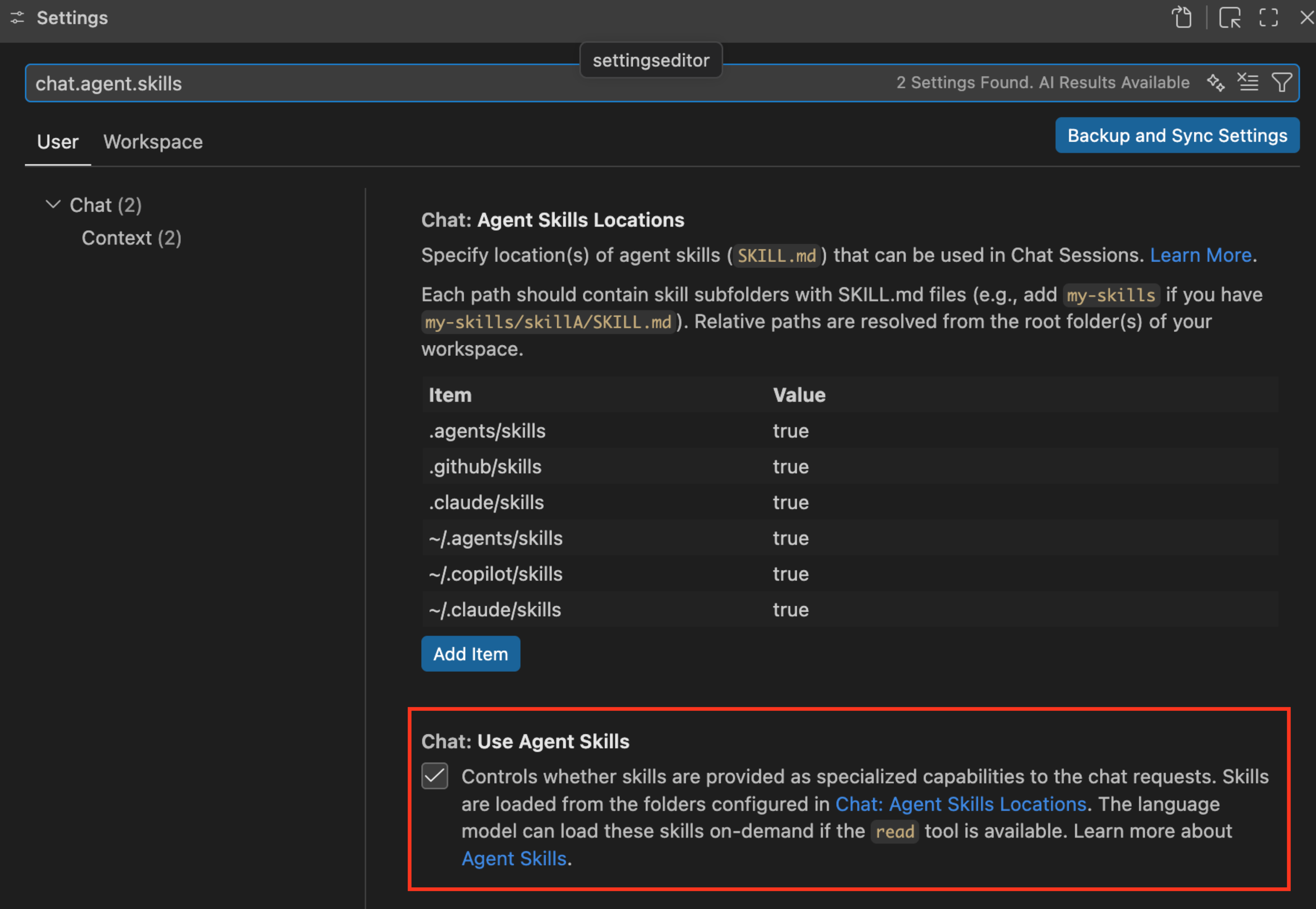
Step 3 — Enable in VS Code:
- Open Settings (
Cmd+,) - Search for
chat.agent.skills - Enable "Chat: Use Agent Skills"
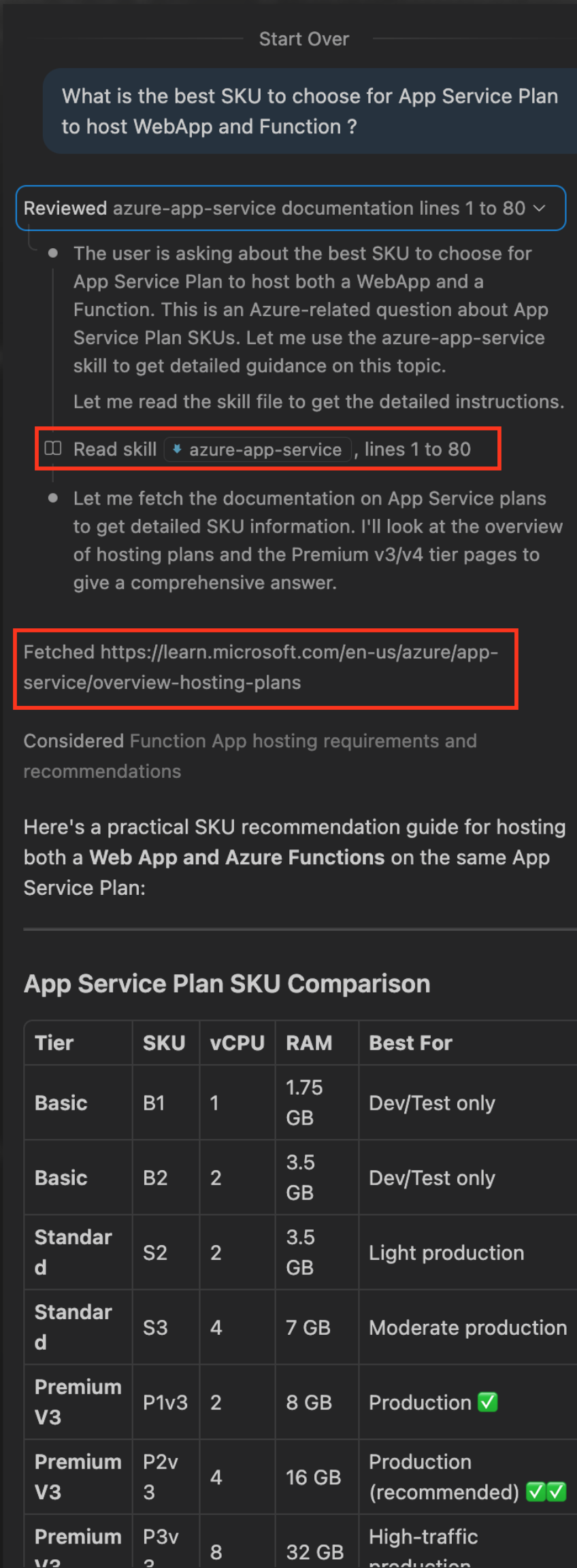
Step 4 — Use normally. Skills auto-load.
You may observe that the Agent analyze the user's prompt and knows what Skills to be used.
Tip
Specifically for Azure Skills in VS Code Copilot, you may just download extension "GitHub Copilot for Azure". That would do it.

Conclusion
AI agents are only as good as the context they have. Agent Skills give you a structured, reusable way to close that gap — packaging your domain knowledge once and letting the agent apply it automatically, every time it's relevant.
Whether you're working with a cloud provider, an internal platform, or a specialized workflow, the pattern is the same: write the expertise once in a SKILL.md, install it globally, and let your AI agent become a genuine expert in that area rather than a capable generalist guessing its way through.
The colleague who asked me that question? He now has the same skills installed. Same agent, same results.